Flagship Project
RobotDraw
SVG to RAPID: turning vector artwork into robot code, validated on a real six-axis arm.
A self-built Python and Flask application that converts SVG artwork into ABB RAPID programs for a six-axis industrial robot, generates safe lift and traversal moves, estimates run time, and runs the whole workflow from a local browser interface. Hardware-validated on an IRB 1100 across five drawings.
Full RobotDraw demo: from SVG in the browser UI to the IRB 1100 drawing it on paper.
A full-stack robotics project sits on three legs: troubleshoot it on a live site, simulate it before it exists, and build the application on top of it. RobotDraw is the third leg made concrete: a human-usable application layer that sits on top of raw industrial motion.
Why
Most people who can program an industrial robot write joint targets by hand. I wanted to prove I could put a usable layer above that: hand the machine a normal vector drawing and have it produce clean, readable RAPID that runs safely on real hardware. It started as a personal challenge in robot programming, and it doubles as evidence of the exact skills an ABB integration role asks for.
Goals and constraints
- Accept practical SVG artwork and convert paths into ordered drawing strokes.
- Map 2D geometry onto a calibrated robot work surface without reach, wrist, or configuration faults.
- Generate readable RAPID, not an opaque dump of points.
- Keep speeds and lift height easy to tune, and always return to a safe reset position.
- Run locally with minimal setup.
What it is
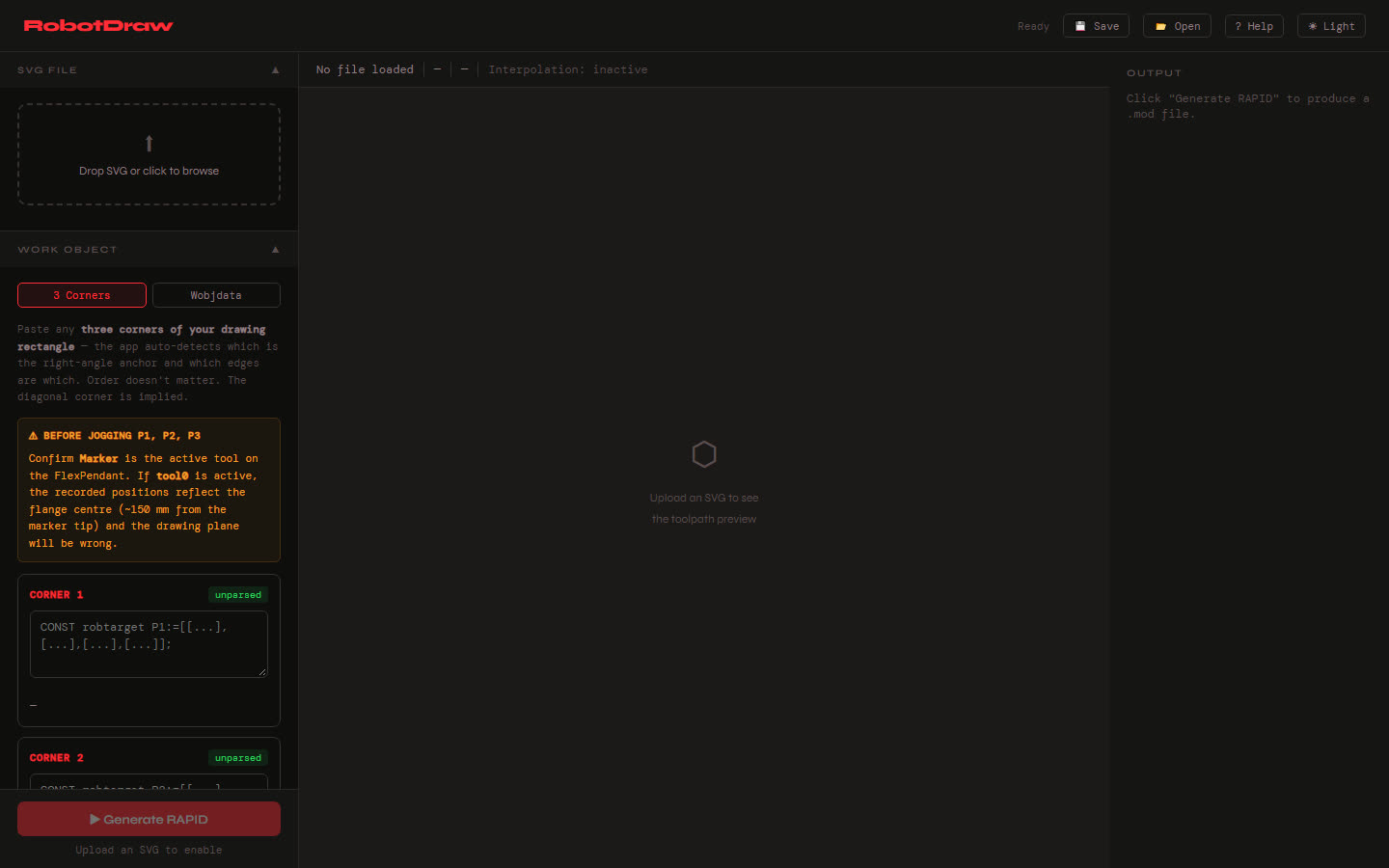
RobotDraw parses an SVG, transforms and orders the vector paths into drawing strokes, inserts safe pen-up lift and traversal moves between strokes, generates RAPID modules for a six-axis arm, and estimates execution time. The whole workflow runs from a local browser interface, so tuning a drawing does not require touching a controller.
The tested target is an ABB IRB 1100 fitted with a custom spring-loaded marker holder. The generated
code uses the real RAPID vocabulary of the job: MoveL, MoveJ, MoveC,
MoveAbsJ, Offs(), SingArea\Wrist, ConfJ, and proper
robtarget / wobjdata / speeddata declarations.
The workflow
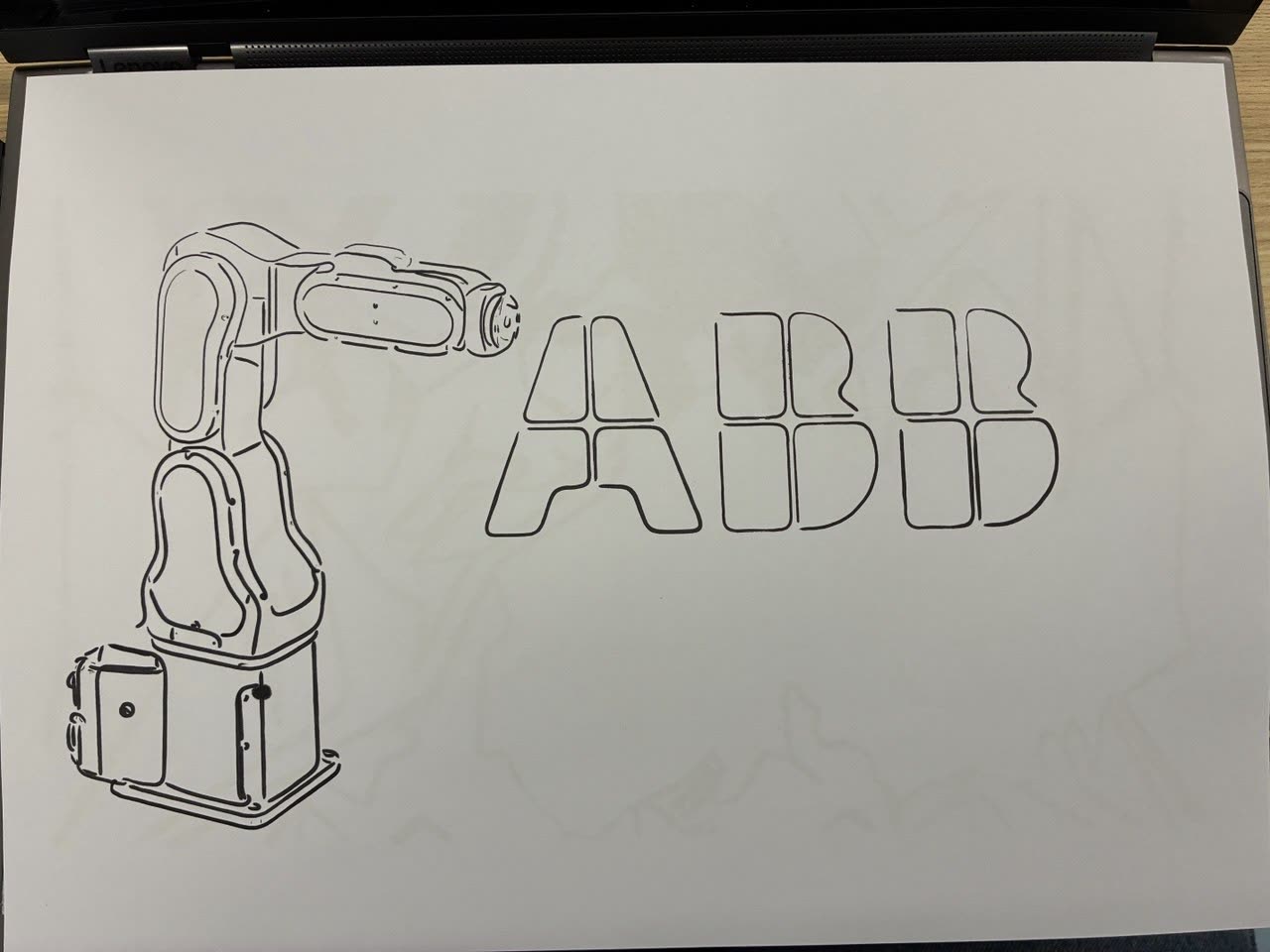
The robot drawing the ABB logo from a RobotDraw-generated RAPID program.
- Vectorize artwork to SVG (Inkscape or a raster-to-vector service), then load it in the browser UI.
- RobotDraw parses paths, orders strokes, and maps them onto the calibrated work plane.
- Pen-up lifts and traversals are inserted between strokes; safety checks guard reach and orientation.
- Readable RAPID modules are generated with a run-time estimate.
- The code loads onto the controller and draws.
Hardware validation
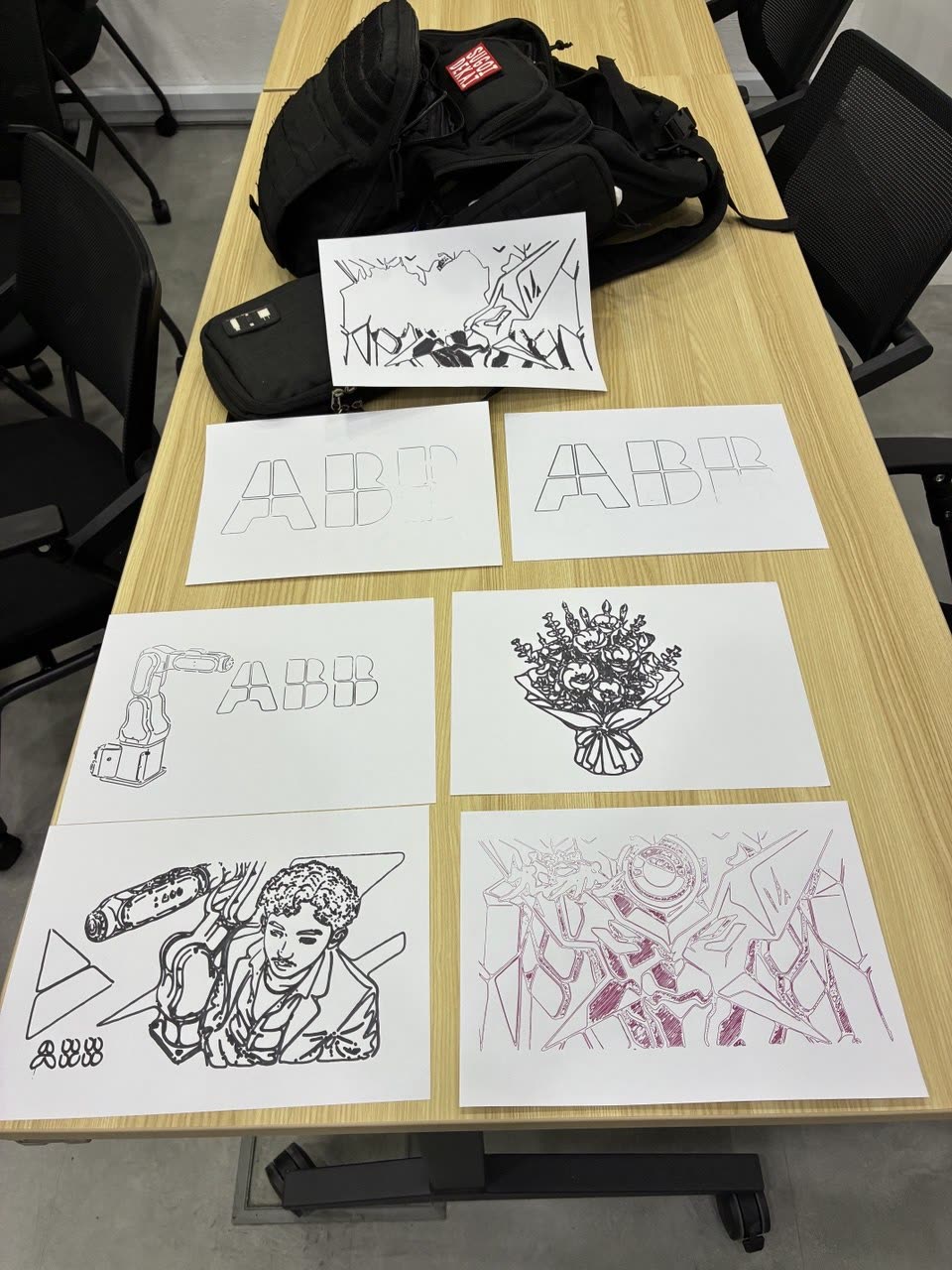
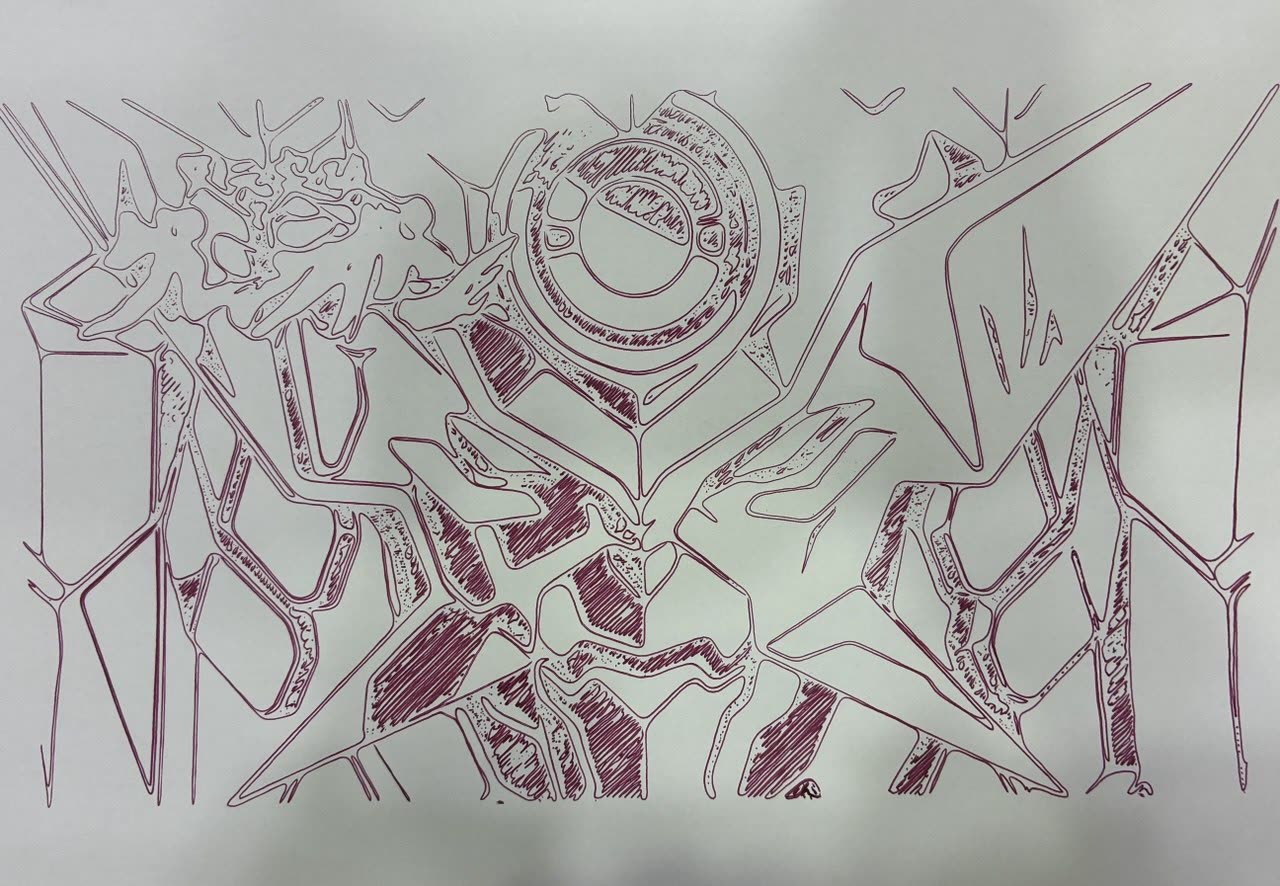
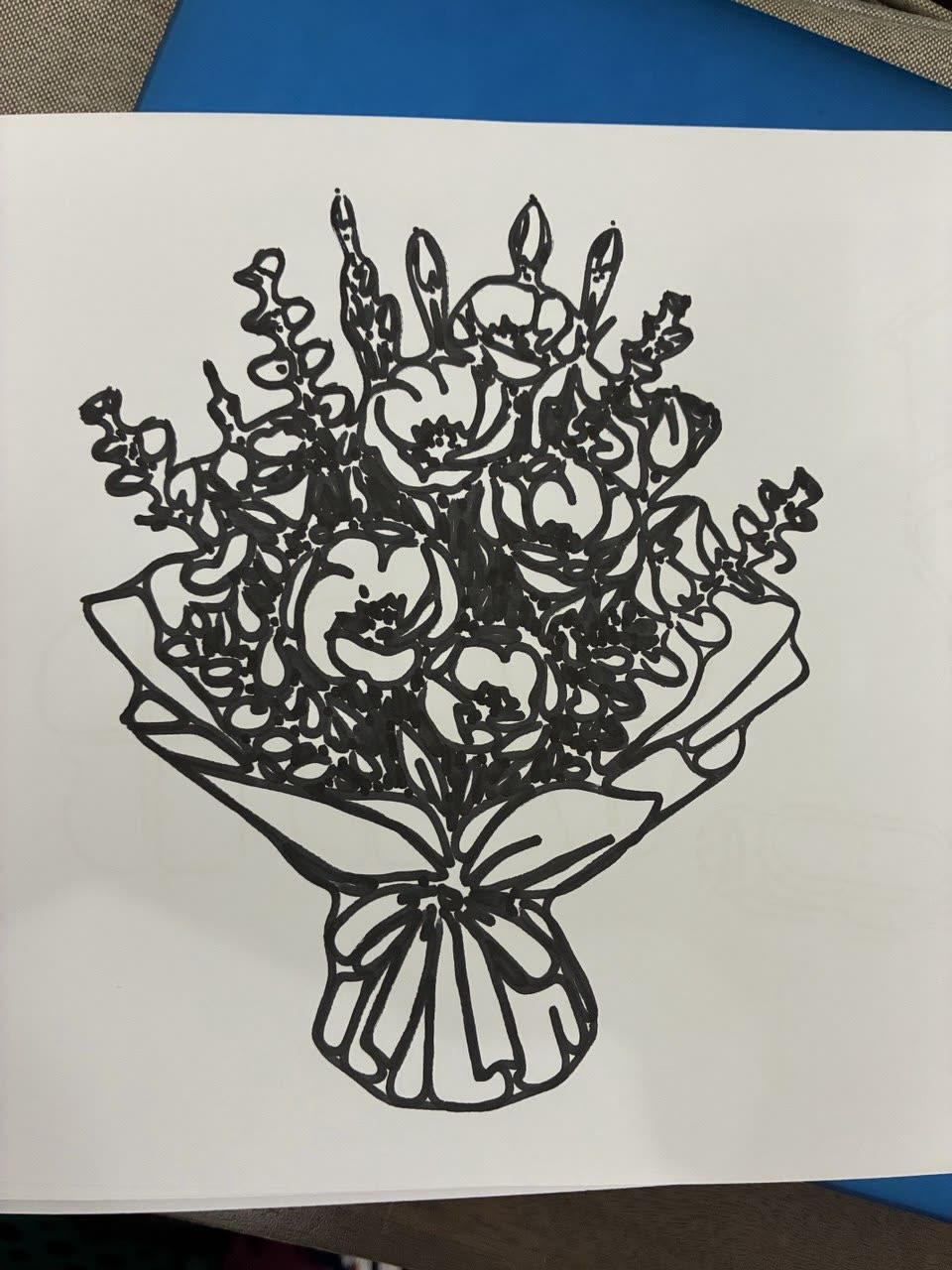
RobotDraw v1 is physically validated on an ABB IRB 1100. Five drawings ran successfully on the real robot: the ABB logo, IRB line art, a flowers piece of 586 strokes, IRB 1100 art, and a detailed eyecatch of roughly 3,000 strokes on A4. The run-time estimator was calibrated against those real runs.
Full timelapse of the roughly 3,000-stroke eyecatch sequence on the IRB 1100.
The bugs, kept on the record
A build in June introduced three geometry bugs worth naming, because finding them is the whole point.
A lift-direction sign was computed in the drawing-plane-normal frame but applied to RAPID
Offs() heights, which offset along the work-object Z axis, a different frame. The result:
the marker pressed into the table instead of lifting. A sibling bug emitted a surface quaternion
verbatim as the tool orientation, so the pen pointed the wrong way on pen-up. A third silently rotated
portrait drawings by 90 degrees. None are syntax errors, and all were found the expensive way, on
hardware. That experience is what led directly to a companion validator (see rapid-lint).
Where it stands now
The project split into two versions. RobotDraw v1 is the stable,
hardware-validated tool, frozen except for bug fixes and UX. RobotDrawPro
is a software-complete fork aimed at offline programming: a click-to-draw path editor with
MoveL / MoveC and tool I/O steps, DXF import, process profiles, a travel
optimizer, and portable project files, all behind three green regression suites.
Honest scope: the June fixes and the entire Pro fork are simulator-tested only. They have not yet run on a physical robot. Only v1's five drawings are hardware-validated, and nothing on this page claims otherwise.
Stack
- Robot / tooling: ABB IRB 1100, RobotStudio, FlexPendant, custom spring-loaded marker holder.
- Software: Python, Flask, a local browser UI (pywebview), quaternion and plane-interpolation math.
- Pipeline tools: Inkscape and raster-to-vector conversion for artwork prep.
What I'd Do Next
- Run the Pro fork's offline-programming path editor on the physical IRB 1100 to validate it on hardware.
- Make a clean rapid-lint pass a precondition before any hardware session, so the June bug class can never reach the robot again.
- Add plane-normal lifting for tilted surfaces (a guardrail warning exists today; the feature does not).